
Download Swift To Do List – Intuitive Personal Organizer, Free Task Manager, Secure Reminder App
Overview
Swift To Do List is a modern, tree‑structured to‑do list software designed for anyone who wants to stay on top of daily tasks, project milestones, or long‑term goals. Built with productivity and clarity in mind, the application combines a clean user interface with powerful features such as custom priority levels, due‑date reminders, batch editing, and drag‑and‑drop organization. Whether you are a student juggling assignments, a freelancer managing multiple client projects, or a corporate team looking for a lightweight task manager, Swift To Do List offers a free, secure, and highly configurable environment. Export options to HTML and Excel, a printable view, and an optional “remove finished tasks” cleanup function ensure that your data is always portable and up‑to‑date. The built‑in global hotkey brings the program from the system tray in an instant, while the sophisticated find function makes locating any task a breeze. In short, Swift To Do List transforms a simple checklist into a dynamic productivity hub without the overhead of expensive enterprise solutions.
Key Features
- Tree‑structured organization with icons for instant visual categorization.
- Customizable priority levels, task types, due dates, and reminders for each entry.
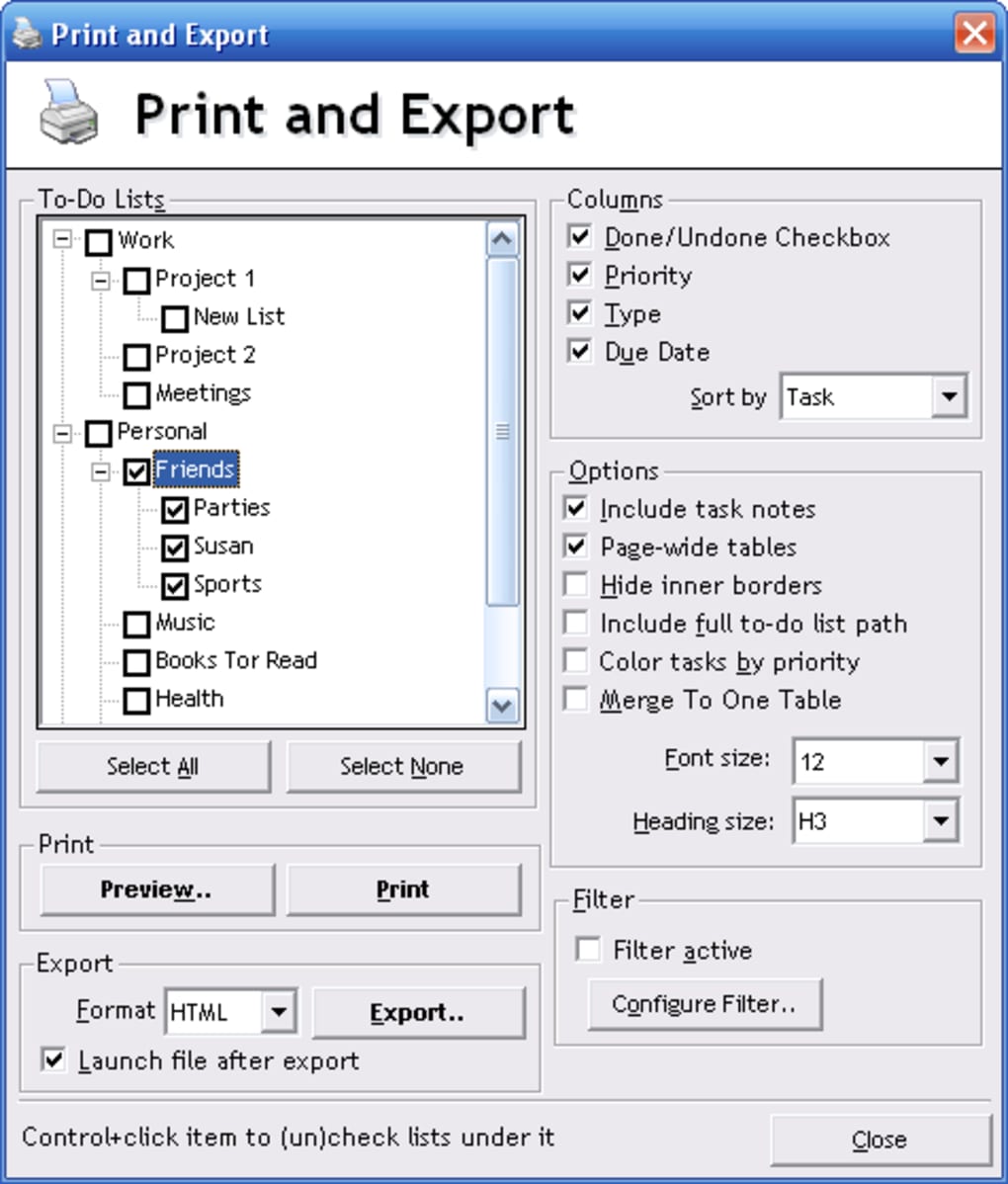
- Advanced exporting: generate HTML reports or Excel spreadsheets with a single click.
- Print‑ready view that formats tasks for paper or PDF output.
- Batch modification of task properties to save time on large projects.
- Global hotkey support – summon the app from the system tray instantly.
- Drag‑and‑drop functionality for moving tasks between lists or reordering whole branches.
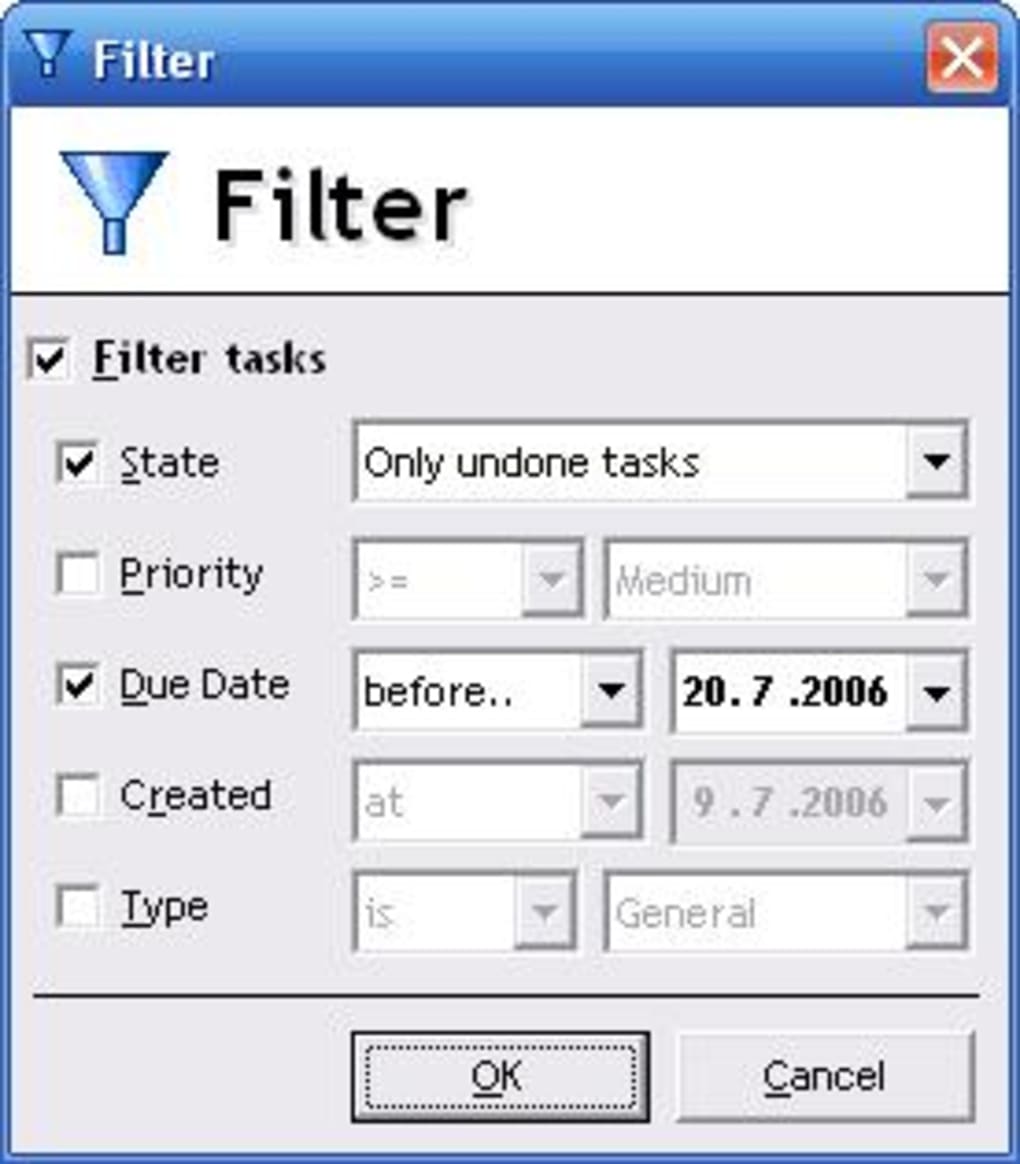
- Robust find/search tool that filters by keyword, priority, or date.
- Automatic removal of completed tasks to keep your workspace uncluttered.
- Beta sync feature for future cloud‑based backup (currently in testing).
Why These Features Matter
The tree structure mirrors the way many people naturally think about projects: a main goal branching into subtasks, each with its own deadline and importance. By allowing icons, Swift To Do List adds a visual cue that speeds up scanning, especially when handling dozens of items. Exporting to HTML or Excel means you can share your plan with teammates who don’t have the software, or archive your work for compliance purposes. The batch edit feature is a game‑changer for project managers who need to shift dates across an entire phase; instead of editing each task individually, a single operation updates all selected items. The global hotkey and system‑tray integration reduce friction: you can pull up your list while drafting an email or during a quick meeting without navigating through menus. Finally, the reminder system is tightly integrated with Windows notifications, ensuring you receive timely alerts even when the application is minimized.
Installation & Daily Usage Guide
Step‑by‑Step Installation
- Visit the official Swift To Do List website and click the Download Free button for Windows (the installer is a small
.exefile, typically under 10 MB). - Run the installer and follow the on‑screen prompts: accept the license agreement, choose the installation folder (default is
C:\Program Files\SwiftToDo), and select whether to create a desktop shortcut. - After the installation completes, launch the application. The first‑time startup wizard will ask you to set a global hotkey (default: Ctrl + Alt + T) and whether you want the app to start automatically with Windows.
- Optionally, import any existing task files (CSV, TXT) using the File → Import menu to migrate data from older tools.
Typical Daily Workflow
Once installed, you’ll notice the sleek main window divided into a left‑hand tree view and a right‑hand detail pane. Start by creating a new top‑level list (e.g., “Work Projects”) and add child nodes for each project (“Website Redesign”, “Quarterly Report”). For each task, fill out the fields: Subject, Priority (Low, Medium, High), Due Date, and optionally enable a Reminder. The reminder can be set to trigger minutes, hours, or days before the due date, and will appear as a Windows toast notification.
Throughout the day, use the drag‑and‑drop feature to re‑prioritize tasks as new information arrives. If a task is completed, simply check the box; the item will be grayed out and can be cleared later with the “Remove Finished Tasks” command under the Edit menu. To locate a specific entry, type a keyword into the search bar at the top; the view will instantly filter matching items, highlighting them in the tree.
At the end of the week, generate a status report by selecting File → Export → HTML. The resulting file provides a clean, printable overview of pending and completed tasks—perfect for sharing with a manager or archiving for future reference. For deeper analysis, export to Excel and use pivot tables to track time spent per priority level or project phase.
Compatibility, Pros & Cons
Supported Operating Systems: Windows 10, Windows 11 (64‑bit). The application runs smoothly on both Home and Pro editions, and is optimized for high‑DPI displays.
Pros
- Intuitive tree‑based UI that scales from simple lists to complex project hierarchies.
- Free to download and use with no hidden subscription fees.
- Robust reminder system integrated with native Windows notifications.
- Powerful export options (HTML, Excel) for reporting and sharing.
- Global hotkey and system‑tray access boost productivity.
- Drag‑and‑drop and batch edit features reduce repetitive work.
- Regular updates that address bugs and add minor enhancements.
Cons
- Currently Windows‑only; no native macOS, Android, or iOS versions.
- Beta sync feature is experimental and may experience occasional latency.
- No built‑in calendar view; users must rely on external calendar apps for visual scheduling.
- Limited customization of UI themes (only light and dark modes).
Overall Rating: 4.5 / 5
The Swift To Do List strikes a remarkable balance between simplicity and power. While it lacks cross‑platform support, its Windows‑centric design delivers a fast, responsive experience that suits both personal and professional environments.
Frequently Asked Questions
Is Swift To Do List really free?
Yes, the core application is completely free to download and use. There are no hidden subscription fees or mandatory upgrades. Optional premium add‑ons may be introduced in future versions, but the current feature set is fully functional at no cost.
Can I sync my tasks across multiple computers?
A beta sync feature is included in the latest release. It allows you to store your task file on a cloud folder (e.g., OneDrive or Dropbox) and have the application read the same file on different machines. The feature is still experimental, so occasional conflicts may occur.
How does the reminder system work?
When you enable a reminder for a task, Swift To Do List registers a Windows scheduled toast notification. You can set the reminder to trigger minutes, hours, or days before the due date. The notification appears even if the app is minimized or hidden in the system tray.
Can I import tasks from other to‑do apps?
Yes. Swift To Do List supports CSV and plain‑text imports. While there is no direct integration with popular services like Todoist or Microsoft To Do, you can export your tasks from those platforms to CSV and then import the file using the File → Import menu.
Is there a mobile version for iOS or Android?
At present, Swift To Do List is a Windows‑only application. The development team has expressed interest in creating companion mobile apps, but no official release date has been announced.
Conclusion & Call to Action
Swift To Do List delivers a powerful, free, and secure task‑management solution that excels in organization, reminder accuracy, and data portability. Its tree‑structured interface, robust export options, and handy global hotkey make it an excellent choice for anyone looking to boost productivity without investing in pricey software suites. While the lack of native macOS or mobile versions may limit cross‑platform users, Windows power users will find the application highly adaptable to both personal and business workflows. Download Swift To Do List today, set up your first list, and experience the satisfaction of a clutter‑free, well‑prioritized day.
Click here to download Swift To Do List for free and start organizing your tasks instantly.







